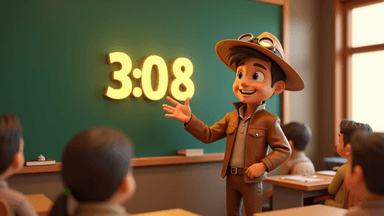
A countdown timer projected on a classroom screen is one of the simplest tools a teacher can use, and one of the most effective. It turns vague instructions like "you have a few minutes" into concrete, visible countdowns that students can see, understand, and respond to. Whether you teach primary school or high school, timers reduce transition chaos, improve focus during tasks, and give students the time awareness they need to manage their own work.
Here are 10 practical ways to use a classroom
timer, each tested in real classrooms by real teachers.
1. Transition Timers
Transitions —
moving between subjects, packing up, switching from carpet to desks — are where classrooms lose the most time. A 2-3 minute transition timer displayed on the screen gives students a clear countdown and creates a shared expectation for how long the transition should take.
How to use it: When announcing a transition, say "You have 3 minutes to pack up your maths books and get your reading folders out." Start the classroom timer immediately. Students can glance at the countdown as they move, which keeps them on pace without you needing to nag.
Why it works: Without a timer, transitions expand to fill whatever time is available. Some students rush, others dawdle, and you end up repeating "hurry up" six times. The timer replaces all of that with a single visual cue. Over time, students internalise the pace and transitions get faster even without the timer.
Countdown Timer
Free online timer — no signup required
2. Cleanup Countdowns
End-of-activity cleanup is a special case of transitions that benefits from its own timer. Whether it's art supplies, science equipment, or just clearing desks, a visible countdown turns cleanup from a chaotic scramble into a structured process.
How to use it: Set a 5-minute timer for major cleanups (art, science, PE equipment) or a 2-minute timer for desk-clearing. Project it on screen and start it with a clear announcement: "Five minutes to get everything put away and be in your seats."
Pro tip: For younger students, make cleanup a game. "Can the class beat the timer?" turns a chore into a challenge. Keep a running tally of how many times the class finishes before the timer sounds — the sense of collective achievement is surprisingly motivating.
3. Timed Writing Sprints
Writing is one of the hardest tasks to get students started on. The blank page is intimidating, and "write for a while" is too open-ended to create momentum. A short timed sprint changes the dynamic completely.
How to use it: Set a 5-10 minute timer and give the instruction: "Write without stopping until the timer finishes. It doesn't need to be perfect — just keep your pen moving." Display the countdown on screen so students can see how much time remains.
Why it works: The time constraint removes the pressure of producing something good and replaces it with the simpler goal of writing continuously. Students who normally stare at the page for 10 minutes before writing a sentence often surprise themselves with how much they produce when the only rule is "keep writing." The timer also creates a defined endpoint, which makes starting feel less daunting — it's only 5 minutes, not an undefined stretch.
Start with 5-minute sprints and gradually increase to 10 as students build their writing stamina. For reluctant writers, even 3 minutes is a meaningful win. The goal is building the habit of starting, not producing a masterpiece.
4. Think-Pair-Share Timing
Think-pair-share is a staple classroom strategy, but without timing, the "think" phase gets skipped (students start talking immediately) and the "pair" phase either runs too long or gets cut short. A timer structures each phase.
How to use it: Display three countdowns in sequence. "Think" phase: 1-2 minutes of silent individual reflection. "Pair" phase: 2-3 minutes of partner discussion. "Share" phase: open class discussion (timed or untimed depending on the activity).
Why it works: The silent think phase is where deeper thinking happens, but students naturally skip it without a timer enforcing the silence. Seeing a 90-second countdown on screen with the instruction "think silently" gives introverted students the space they need and prevents impulsive answers from dominating the discussion.

5. Silent Reading Periods
Sustained silent reading (SSR or DEAR — Drop Everything And Read) benefits enormously from a visible timer. Students settle in faster when they can see how long they'll be reading, and the countdown prevents the constant "how much longer?" questions.
How to use it: Set a classroom timer for 10-15 minutes (longer for older students, shorter for younger ones). Display it on screen and start it once everyone has their book open.
Why it works: For strong readers, the timer is irrelevant — they're absorbed in their book. For reluctant readers, the timer provides a manageable commitment. "Read for 12 minutes" is far less daunting than "read until I tell you to stop." The visual countdown also helps students with attention difficulties stay on task because they can see progress — the time shrinking gives a sense of forward motion.
Countdown Timer
Free online timer — no signup required
6. Maths Speed Drills
Timed maths drills build fluency with basic operations — addition, multiplication, division — by adding a speed element that makes practice feel more like a game than homework.
How to use it: Display a 3-5 minute countdown on screen. Students work through a sheet of problems (or problems on the board) and see how many they can complete accurately before the timer runs out. Track personal bests rather than comparing between students.
Why it works: The timer creates productive urgency without anxiety (especially when you frame it as "beat your own record" rather than competing against classmates). Speed drills with timers are one of the most effective ways to build automaticity with maths facts — the rapid recall that frees up working memory for more complex problem-solving.
Important caveat: Always emphasise accuracy alongside speed. A student who gets 15 correct answers in 3 minutes has achieved more than one who gets 25 answers with 8 mistakes. Track "correct answers per minute" rather than raw speed.
7. Brain Breaks
Research consistently shows that short movement or relaxation breaks between focused work periods improve attention and retention. But brain breaks need a defined length — too short and students don't reset, too long and they lose focus entirely.
How to use it: Set a 2-3 minute timer for movement breaks (stretching, jumping jacks, a quick dance) or a 3-5 minute timer for calming breaks (breathing exercises, quiet drawing, listening to music). The timer visible on screen tells students exactly when the break ends.
Why it works: Without a timer, brain breaks tend to either get cut short (teacher gets anxious about lost time) or run long (students resist returning to work). The timer protects the break — students trust they'll get the full 3 minutes — and creates a clean return to work. When the timer sounds, the break is over, and that expectation is clear.
The optimal frequency for brain breaks depends on age. Primary students benefit from a 2-3 minute break every 15-20 minutes of focused work. Secondary students can sustain 30-45 minutes before needing a break. Watch for fidgeting, off-task behaviour, and glazed eyes as signs a break is needed.
8. Group Work and Station Rotations
Managing group work is one of the biggest classroom challenges. Groups finish at different speeds, some groups spend all their time on the first task and rush the rest, and rotations between stations get chaotic. Timers solve all of these problems.
How to use it: For station rotations, set equal time blocks per station (8-12 minutes depending on the task complexity) and project the countdown for the current station. When the timer sounds, groups rotate. For group tasks with a single deadline, display the total countdown so all groups can pace themselves.
Why it works: Equal timed rotations eliminate the "some groups finished ages ago and are bored while others haven't started" problem. Every group gets the same time, and the visible countdown helps groups self-manage their pace. Groups that see 2 minutes remaining know it's time to wrap up their current station and prepare to move.
Practical tip for rotations: Add a 1-minute transition timer between stations. This gives students time to move, settle, and read the new station's instructions before the work timer starts. Without this buffer, the first minute at each station is lost to confusion.
9. Exam Practice Under Timed Conditions
One of the best ways to prepare students for exams is practising under realistic time constraints. A visible countdown creates the same pressure they'll experience in the actual test, building both skills and confidence.
How to use it: Set the timer to match the real exam duration. For a practice essay that would have 40 minutes in the real exam, set a 40-minute countdown. For a section of a maths exam, set the proportional time allocation. Display the timer prominently so students learn to pace themselves.
Why it works: Students who only practice without time pressure often struggle in actual exams — not because they don't know the material, but because they haven't practiced time management. Regular timed practice teaches students to allocate time across questions, recognize when to move on from a difficult problem, and work at exam pace.
Progression approach: Start with generous time (perhaps 50% more than the real exam allows) and gradually reduce to match actual exam conditions over several practice sessions. This builds confidence without overwhelming students early in the revision process.
Countdown Timer
Free online timer — no signup required
10. Cool-Down and Reflection Time
The last 3-5 minutes of a lesson are often wasted — students start packing up early, the bell creates chaos, and there's no closure to the learning. A reflection timer protects this valuable time.
How to use it: With 5 minutes remaining in the lesson, start a timer and display it on screen. Use the time for an exit ticket (students write one thing they learned), a quick verbal recap, or silent reflection on the lesson's key concept. The timer signals that the lesson isn't over yet and creates a structured ending.
Why it works: End-of-lesson reflection is one of the most effective learning strategies, but it only works if students know it's happening and can see how much time it takes. The timer gives the reflection period the same structure and visibility as any other classroom activity, which signals that it's important — not just dead time before the bell.
Tips for Using Classroom Timers Effectively
Frame Timers Positively
"You have 5 minutes" is neutral and helpful. "You ONLY have 5 minutes" creates anxiety. The timer should feel like a tool that helps students manage their time, not a ticking bomb. For younger students, pair the timer with encouragement: "I bet you can finish before the timer — look, you've got 3 minutes left!"
Be Consistent
Use timers regularly so students learn to trust them. If you sometimes extend the timer and sometimes don't, students stop treating the countdown as reliable. Consistency is what makes timers effective as a classroom management tool.
Let Students See It
A timer that only you can see defeats the purpose. The whole point is externalising time so students can self-manage. Project it on your whiteboard, interactive display, or TV screen. Use fullscreen mode so it's visible from every seat.
Match the Timer to the Task
Don't use the same duration for everything. Quick transitions need 2 minutes. Writing sprints need 5-10. Group work needs 10-15. Matching the timer to the actual task teaches students to calibrate their affort to the time available.
Keep a classroom timer bookmarked on your teaching device. The less time it takes you to pull up and set a timer, the more consistently you'll use it. A timer that takes 30 seconds to set up gets skipped. One that takes 3 seconds becomes a daily habit.
Get Started with a Classroom Timer
You don't need an app, a subscription, or a physical device. Open the free classroom timer in your browser, project it on your screen, and try it with one activity tomorrow — a transition, a writing sprint, or a brain break. Once you see the difference a visible countdown makes, you'll wonder how you ever taught without one.
Countdown Timer
Free online timer — no signup required